
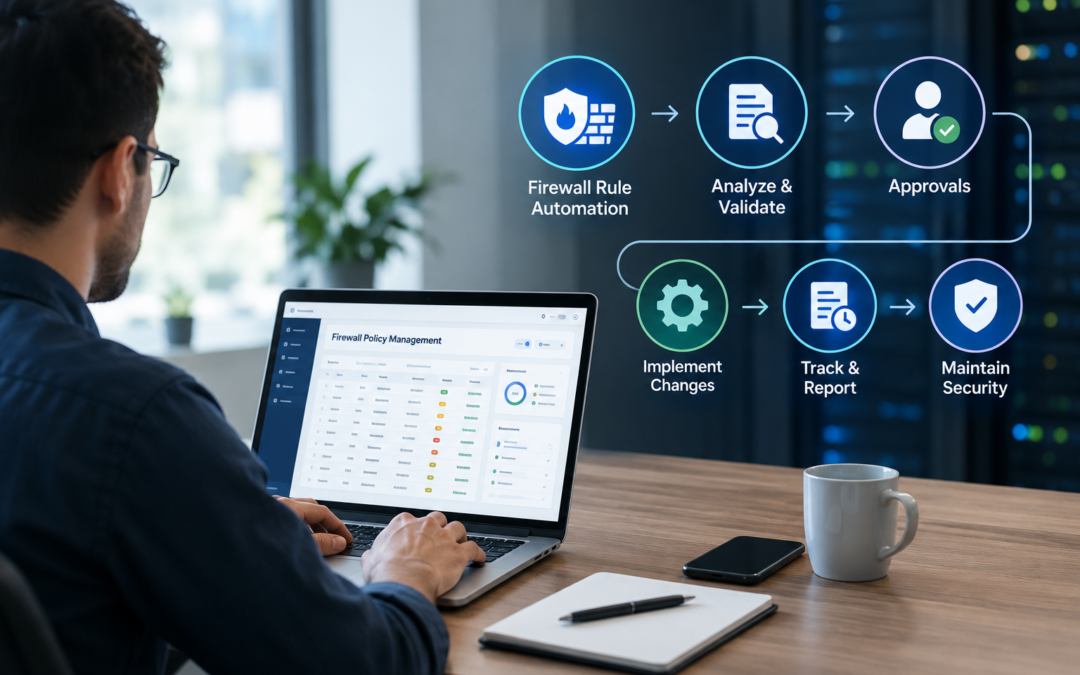
Managing firewall rules has become increasingly challenging as organizations expand their networks, adopt cloud services, and support remote users and applications. Every new system, connection, or business requirement can create a need for a firewall change. When these changes are handled entirely through manual processes, security teams can quickly become overwhelmed.
Manual firewall administration can also introduce delays and inconsistencies. A simple access request may require several steps, including reviewing the existing policy, determining the appropriate rule, obtaining approval, implementing the change, and verifying the result. When organizations manage hundreds or thousands of rules across multiple firewalls, this process can consume valuable security resources.
Firewall rule automation provides a way to streamline these activities while maintaining appropriate security controls. By automating repetitive policy tasks and introducing consistent workflows, organizations can improve operational efficiency while reducing the risks associated with manual firewall administration.
Why Manual Firewall Management Can Become a Problem
Firewall changes are often necessary for legitimate business reasons. An application may need access to a database, a new office may require connectivity, or a cloud workload may need to communicate with an internal service.
The challenge is managing these requests efficiently without weakening security.
When firewall changes are handled manually, administrators may need to search through large rule sets to determine whether a similar rule already exists. They may also need to check whether the requested access conflicts with an existing policy or creates excessive permissions.
As the number of requests increases, these manual processes can create backlogs. Security teams may spend significant amounts of time performing repetitive administrative work instead of focusing on higher-priority security activities.
How Firewall Rule Automation Works
Automation can support different stages of the firewall policy lifecycle. Rather than requiring an administrator to perform every task manually, automated workflows can help manage requests, approvals, analysis, implementation, and verification.
For example, a typical automated workflow may begin when an application owner submits an access request. The request can then be evaluated against defined policies and approval requirements. Once approved, the appropriate firewall change can be prepared and implemented according to established procedures.
This creates a more structured process while reducing unnecessary manual intervention.
Automation does not necessarily mean removing human oversight. In well-designed environments, security teams can establish approval points for sensitive changes while allowing lower-risk or standardized tasks to move through predefined workflows.
Improving the Speed of Security Operations
One of the biggest advantages of automation is improved response time.
Security teams often need to process firewall requests quickly. Delays can affect application deployments, infrastructure projects, and business operations. At the same time, rushing a manual change can increase the likelihood of mistakes.
Automated workflows can help address both issues.
By standardizing repetitive processes, organizations can reduce the amount of time required to review and implement routine changes. Teams can also establish predefined workflows for common requests, allowing approved changes to move forward without unnecessary administrative delays.
This can be particularly valuable for organizations operating large environments where firewall requests are generated frequently.
Reducing Human Error
Firewall configurations can be complicated. A small mistake in a rule can have significant consequences, potentially blocking legitimate traffic or allowing access that should not be permitted.
Manual processes increase the possibility of inconsistent configurations, especially when different administrators use different approaches to handling similar requests.
Firewall automation can help standardize how changes are prepared and implemented. Consistent workflows reduce reliance on individual memory and manual procedures.
Automation can also support validation steps before or after a change. For example, organizations can incorporate checks to determine whether a requested rule is appropriate, whether an equivalent rule already exists, or whether the change produces the expected result.
The goal is not to eliminate security professionals from the process. Instead, automation allows them to spend less time on repetitive configuration work and more time making important security decisions.
Supporting Firewall Change Management
A firewall environment is constantly changing. New applications are deployed, old systems are removed, network architectures evolve, and security requirements change.
Effective firewall change automation can help organizations manage these changes in a more controlled manner.
A structured change process should capture important information such as:
- Why the change is required
- Which systems are affected
- What access is being requested
- Who approved the request
- When the change was implemented
- Whether the change was successful
- When the rule should be reviewed or removed
Automating parts of this process can improve consistency and create better visibility into the firewall policy lifecycle.
It can also make it easier for security teams to understand how and why a particular rule was introduced.
Automation and Security Policy Optimization
Automation is most effective when combined with policy analysis.
Adding automation to an inefficient or poorly maintained rule set does not automatically make the environment more secure. Organizations should first understand their existing policies and identify unnecessary, duplicate, overly permissive, or outdated rules.
Once the policy environment is better understood, automation can help maintain it more efficiently.
For example, a security team may use analysis to identify rules that are no longer being used. After appropriate validation and approval, an automated workflow can help remove or modify those rules.
This combination of analysis and automation creates a more sustainable approach to firewall management.
Managing Changes Across Complex Environments
Many organizations use multiple firewall platforms and operate across data centers, branch offices, private infrastructure, and cloud environments. Managing changes consistently across these environments can be difficult.
A centralized approach can provide security teams with better visibility into policy changes and help them apply consistent processes across different environments.
This is particularly important for enterprises where different teams may be responsible for different network segments. Without centralized processes, organizations can end up with inconsistent policies and fragmented change records.
Automation can help bring greater consistency to these environments by providing standardized workflows for policy requests and changes.
Maintaining Control and Accountability
Security automation should always include appropriate controls.
Organizations should determine which changes can be automated completely and which require human approval. High-risk policy changes may require additional review, while routine and well-defined requests may be suitable for automated processing.
Auditability is equally important. Security teams should be able to determine what changed, who authorized the change, when it happened, and what the outcome was.
This information supports troubleshooting, internal security reviews, and compliance requirements.
A well-designed automation strategy therefore combines speed with control rather than simply trying to eliminate human involvement.
Making Firewall Operations More Efficient
As network environments become more complex, security teams need ways to manage growing workloads without continually increasing manual effort. Firewall rule automation can help organizations create repeatable processes for handling policy changes while improving operational efficiency.
The most effective approach combines automation with policy analysis, appropriate approval workflows, visibility, and ongoing optimization. This allows security teams to reduce repetitive tasks without losing control over critical network security decisions.
For organizations looking to improve the way they manage firewall policies and changes, Opinnate provides capabilities that support firewall policy analysis, optimization, and automation. By helping security teams bring greater visibility and consistency to firewall operations, Opinnate can support a more efficient approach to managing security policies across complex network environments.