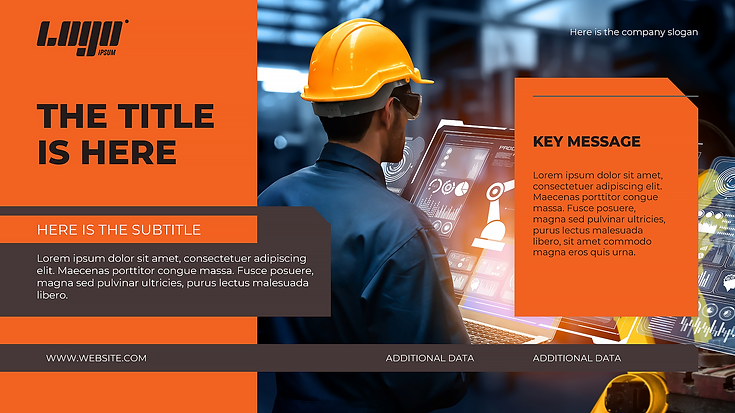
Creating an effective online course takes more than putting information onto slides. Designers need to organize content, maintain visual consistency, and make lessons easy for learners to follow. PowerPoint eLearning templates can simplify this process by providing a structured starting point, allowing course creators to spend more time improving learning content instead of rebuilding slide layouts from scratch.
Starting With a Ready-Made Structure
Templates have one major advantage that is reducing repetitive design work. We can pick up a layout and customize it to the course rather than always starting from scratch with a title slide, content layout, quiz screen, or interaction.
It is especially helpful if you are working on a short timeline for a project. A good template allows the team to move from planning to production more quickly so that each slide is not a design task.
Keeping Course Design Consistent
Consistency is important in eLearning because learners should concentrate on the subject, not on trying to understand how a constantly changing interface works. Consistent typography, spacing, colors, navigation elements and visual styles make for a more predictable learning experience.
Templates can establish those design rules up front. Once the basic visual system is built, designers can add new content, while keeping a similar look and feel throughout the course. This is especially helpful for organizations that are developing multiple courses or training programs.
Saving Time Without Cutting Corners
Speed does not need to equal lower quality. The trick is to buy time on repetitive tasks while paying close attention to instructional content. Templates can take care of a lot of the basic visual structure, freeing up designers to improve explanations, enhance activities and make information easier to grasp.
A course may require many different types of screens such as introductions, comparisons, knowledge checks, summaries, and scenario-based activities. If you have flexible layouts available, it can be easier to create these sections without having to repeatedly design their visual foundations.
Making Content Easier to Adapt
Training content is subject to change. A company might update a policy, add a new product, revise compliance information, or change an internal process. Where course designs are based on reusable layouts, updating content can be less of a challenge.
A flexible template also enables designers to reuse successful design patterns over different subjects. They can include new text, graphics, examples and activities, all while maintaining the overall learning experience familiar to users.
Supporting Better Visual Communication
Good eLearning design is not only attractive slides. Visual elements should facilitate the understanding and retention of information by learners. Templates can offer layouts that help designers think about how text, images, diagrams and interactive elements work together.
If the visual structure is taken into account already, designers can concentrate on choosing the right content for each screen. This can help avoid too many slides and present complex subjects in a clear and accessible way.
Giving Designers More Room for Creativity
There is no template for creativity. It can even free up more room for it by eliminating repetitive design tasks. Designers can change screens, add appropriate visual components and adjust layouts to suit the tone and objectives of a particular course.
The best templates are stable and flexible enough to fit different types of educational content. This balance allows teams to work well without making every course look the same.
Choosing Templates That Fit the Learning Goal
Not all courses are equally well suited to all formats. If a flashy layout makes information hard to read, or distracts students from the main subject, it may not be effective. The template should not be the center of the course but rather an aid to the educational objective.
Thus, organizations should look for usability, flexibility, accessibility and compatibility with their existing development process when choosing a template. A good design system saves time across the whole course development cycle.
Turning Faster Design Into Better eLearning
Efficient course development is not about making slides as fast as you can. It is about making the most of time available. Less repetitive design work means course creators can focus on quality content, engagement with learners, and meaningful interactions.
If you are working within an organization looking to improve their eLearning development process, CraftUXD is a useful resource to explore professional course design and template solutions. Their team can help companies implement a more efficient design workflow while keeping learner experience and visual quality front and center.